
How to Find Web Design Clients: Start With the Local Businesses Whose Websites Are Already Failing

If you want to know how to find web design clients, start with the clients whose websites are visibly failing, not with the channels that produce the most noise. The fastest route for a freelancer with no portfolio is a short list of local businesses with a measurable website problem, each pitched by name, because that is the only approach where you know before you write that the person needs what you sell.
Most guides on how to find web design clients hand you a menu: referrals, Upwork, LinkedIn, networking, content, ads. That menu is accurate and almost useless on day one, because it never tells you which channel shows you who needs a website. This article ranks the common channels by that one question, then walks through a seven-day plan for the one that answers it.
The short answer: Judge every client-finding channel by four questions: does it show you who has a problem, can you reach the person who decides, does it work with no portfolio, and can you start today. Only one common channel scores yes on all four: contacting local businesses whose current site is failing.
Why most advice on how to find web design clients stalls
I read seven pages currently ranking for this query in full. They are long: the longest runs past 6,000 words, and the shortest I could load is about 1,900. They share a shape. Each lists channels and tells you to pick some.
- Self Made Web Designer (2019) numbers 13 channels under a "12 ways" title, from people you know to Upwork, Craigslist and paid ads.
- Boagworld (2023) argues the opposite, with a section titled "Why Cold Contacting Prospects Is a Waste of Time" and a plan built on a specific audience and permission-based contact.
- Alana Jade Studio (2026) walks through why word of mouth, social media, ads and networking did not work for the author.
- Launch the Damn Thing (2026) frames it as three phases and spends much of its length on About and Contact pages.
- GigRadar (2025), Better Proposals and Paige Brunton cover Upwork automation, proposals and friends-and-family respectively.
The gap is the same in all seven: none of them explains how to work out which businesses have a failing website before you contact anyone. GigRadar suggests offering a "free audit" and Boagworld suggests picking an audience, but neither shows you how to find the businesses with a problem you can see. Advice that skips this step leaves a beginner doing the hardest part, guessing who needs a site, by hand.
The four-question test for any client-finding channel
Before you spend a week on a channel, run it through four yes/no questions. This is my own rubric, built from what the pages above leave out, and the table below is my assessment, not survey data.
- Does it show you who has a problem? A channel that surfaces a visible, checkable fault (no mobile layout, no way to contact the business, a site that does not load) lets you pitch a specific fix.
- Can you reach the person who decides? For a local business that is usually the owner. A contact form read by a receptionist counts as no.
- Does it work with no portfolio? If the channel depends on past work, a beginner starts at zero.
- Can you start today? Channels that need months of content or audience building do not feed a first-client plan.
| Channel | Shows who has a problem | Reaches the decision-maker | Works with no portfolio | Start today |
|---|---|---|---|---|
| People you know | No | Yes | Yes | Yes |
| Job boards (Upwork, Toptal) | Yes, the buyer posted | Partly | Partly | Yes |
| Content and social media | No | Sometimes | No | No |
| Networking events | No | Yes | Yes | No |
| Paid ads | No | Sometimes | Yes | Yes |
| Local businesses with a failing site | Yes | Yes, once you find the owner | Yes | Yes |
Job boards come closest, because the buyer has already raised a hand. The cost is that every other freelancer sees the same post. The last row is the only one with four yeses, and it is the one the seven ranking pages treat as an afterthought or dismiss outright.
What "a failing website" means in practice
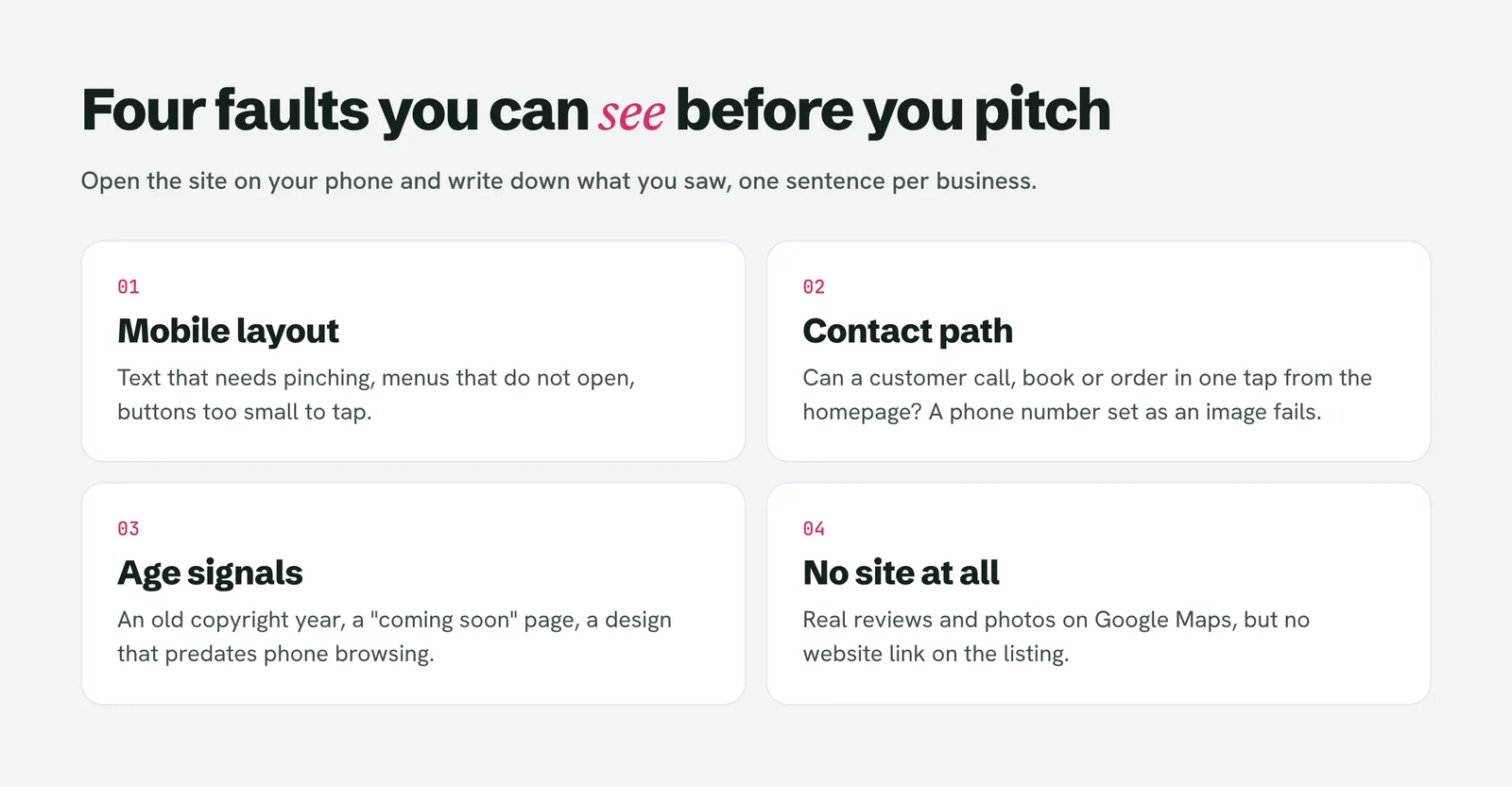
"Find businesses that need a website" is too vague to search for. "Find businesses with one of these four problems" is not. Look at four things on each candidate, and write down what you saw rather than a feeling:
- Mobile: open the site on a phone. Text that needs pinching, menus that do not open, or buttons too small to tap are visible in ten seconds.
- Contact path: can a customer call, book or order in one tap from the homepage? A phone number that is an image rather than a link is a fault.
- Age signals: a copyright year several years old, a stock "coming soon" page, or a design that predates phone browsing. The five signs of an outdated website guide covers the phone check.
- No site at all: a business with reviews and photos on Google Maps but no website link. This is the easiest list to build, though not always the highest-paying one.
The point of writing down what you saw is that it becomes your opening line. "Your menu button doesn't open on my iPhone" is a sentence a business owner can verify in five seconds. "I help businesses grow online" is not.
A seven-day plan to find your first web design clients
This is the manual version. It works with a browser and a spreadsheet.
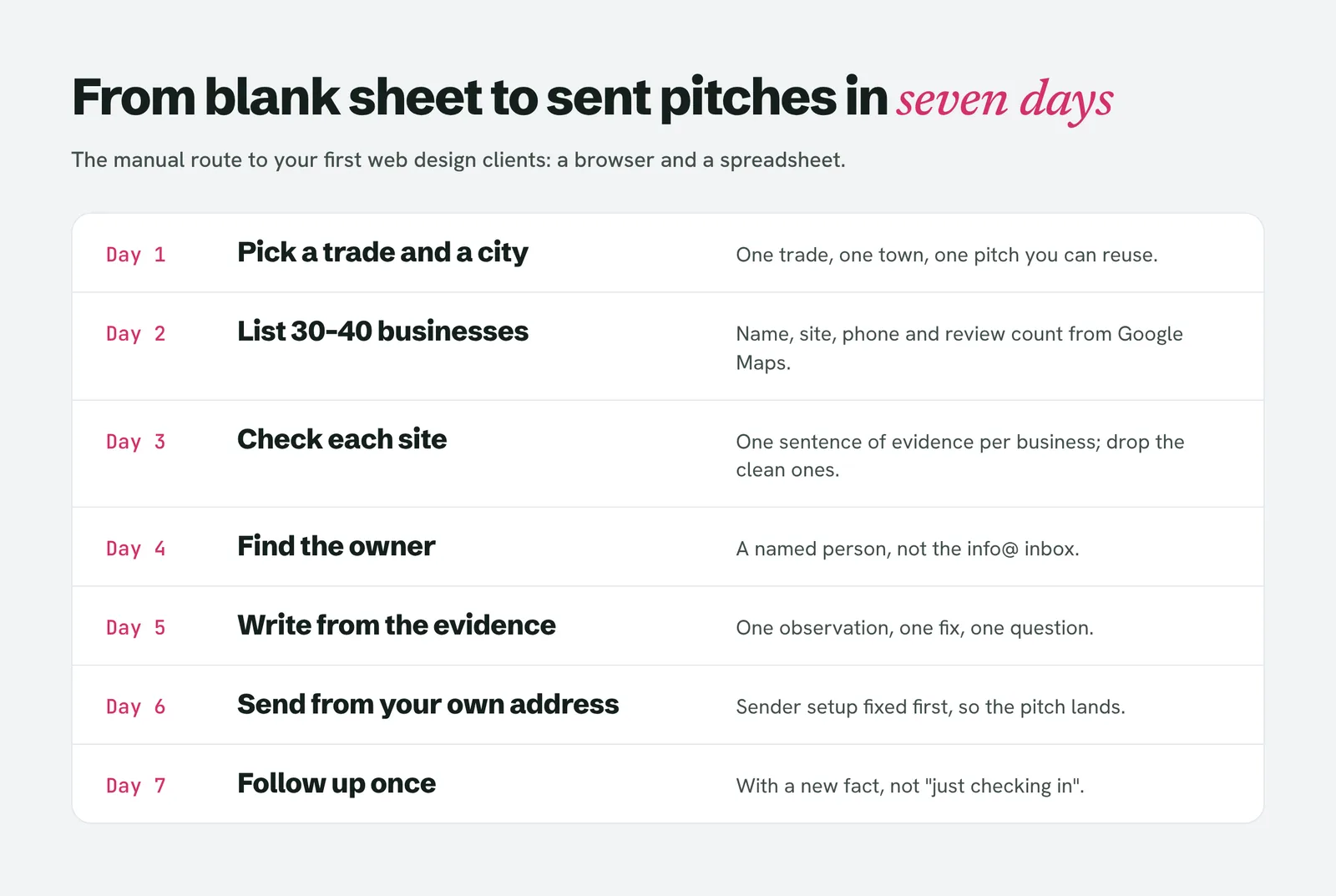
Day 1: pick one trade and one city. Plumbers in your own town, for example, not "small businesses". A single trade lets you reuse the same observations and the same pitch. The page-1 articles say "identify a specific audience" and stop there; the trade-and-city pair is what makes it executable.
Day 2: build a list of 30 to 40 businesses. Search the trade on Google Maps, scroll past the paid results, and copy name, website, phone and review count into a sheet. Keep only businesses with real reviews, because that proves they are open and have customers. Skip chains.
Day 3: check every site against the four faults. Spend about a minute per site and record one sentence of evidence each. Delete the businesses with nothing wrong. The survivors are your leads. To size the pool, see how many businesses are in your city.
Day 4: find the owner. A named person gets replies that "info@" does not. The method is in how to find the owner of a business. Skip any lead where you cannot find a way to reach the decision-maker.
Day 5: write each pitch from its evidence. One observation, one fix, one question. Our guide to pitching a website redesign gives an opening line per failure type. Keep it under 120 words.
Day 6: send, from your own address. Fix your sending setup first or the pitch lands in spam; the Gmail spam fix order covers it.
Day 7: follow up once with a new fact. Not "just checking in". The follow-up template shows three emails with one new fact each.
Doing the first three days by hand is where the time goes. If you would rather skip the sheet, LeadReef runs the same search and shows what is wrong with each site, but the plan above works without it.
"But cold contacting is a waste of time"
Boagworld's argument against cold contact is worth taking seriously, because it is aimed at a different situation. It is written for an established consultant selling high-value projects to organisations that already have web teams. A local plumber with a site that breaks on phones is a different buyer: the owner often decides alone, the problem is visible, and nobody else is pitching them with evidence.
Its core advice still applies. Start with a specific audience, contact individuals rather than blasting a list, and keep going back with something useful. Your list of qualified businesses is that approach at small scale. How many emails you need before someone replies is arithmetic, which is why this breakdown of emails per client is worth reading before you set expectations.
Cold contact also has legal rules that depend on where you and the recipient are. Read the country-by-country test for cold emailing before you send anything in bulk.
What to do when you have no portfolio
None of the seven pages makes the point that the lack of a portfolio matters less when the pitch is built on the prospect's own site. You are not asking them to trust your past work; you are showing them their own current problem. If you want proof beyond that, a mock redesign of one local business, shown only to that business, counts, and the portfolio-with-no-clients guide shows how to build it.
People also ask
Where can I get web design clients?
The places that exist are referrals, freelance platforms like Upwork, social media, networking events and direct outreach to local businesses. Of those, direct outreach is the only one where you decide who you contact and can see their problem first. Platforms reverse that, because you compete for jobs other people posted.
How can I find clients for web development?
Pick one trade and one city, list the businesses, and check each site for visible faults such as a broken mobile layout or no tap-to-call. Contact the owner by name with one specific observation. The same method works for web development, since the evidence is the product.
Where to get website development clients?
Start with the businesses around you whose websites do not work on a phone or do not exist, and add a job board as a second channel if you want inbound jobs. Local businesses rarely post on boards, so the board and the outreach list reach different buyers.
How to start web designing with no experience?
Build one real project before you pitch: a redesign of one local business's homepage that you show to that owner only. It gives you something concrete to point to, and it is easier to send to a stranger than a CV.
Is web design still in demand in 2026?
Businesses still need working sites, and the visible faults above are easy to find on local sites today, as you can verify by checking ten of them on your phone. The nature of the work is shifting, so lean on the part a template does not do: finding the right business and fixing the specific problem.
Where to start tomorrow
Open Google Maps, search one trade in your town, and check five websites on your phone. Write one sentence of evidence for each. If at least two have a fault you can name, you have the start of a list and a pitch. Pricing the job comes next, once someone replies.
Skip the reading list and run the check. The first ten leads are free on LeadReef, no card required: pick from 10 free business types and 10 free cities and see what is wrong with each site.